
Your colorful notepad for notes, lists & ideas
Color Notes is a fast, free notepad for Android. Capture text, voice and photo notes, sketch your ideas, organize with colors and tags, and keep everything safely backed up to Google Drive.
- 100% Free
- Works offline
- Rated Everyone
- 1,000+ downloads
- Google Drive syncAuto cloud backup
- App lockPassword & fingerprint
- Works offlineLightweight & fast
- Dark modeCustom color themes
Everything you need to capture and organize
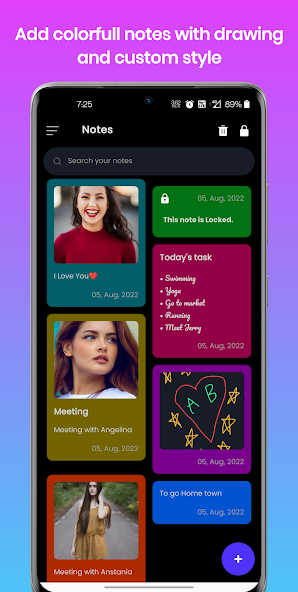
One colorful notepad for quick memos, detailed notes, voice recordings, photos, sketches, and to-do lists.
-
Text, memos & voice notes
Jot quick memos, write detailed notes, or record voice notes on the go.
-
Photos & sketches
Attach photos or sketch ideas with the built-in drawing tool, brushes and colors.
-
Color labels, notebooks & tags
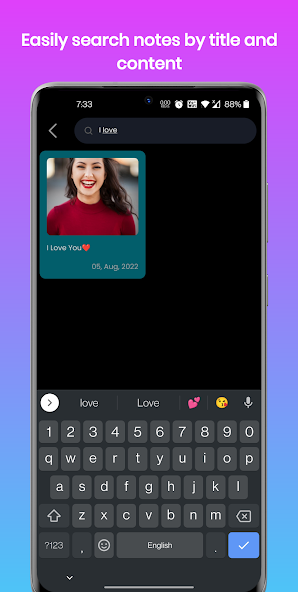
Organize everything with colors, notebooks and tags, and find any note in seconds.
-
To-do lists & checklists
Turn notes into task lists, shopping lists and checklists you can tick off.
-
Google Drive backup & sync
Automatic cloud backup keeps your notes safe and synced across all your devices.
-
App lock & fingerprint
Protect private notes with a password and unlock instantly with your fingerprint.
-
Dark mode & custom themes
Customizable color themes and fonts, plus a battery-friendly dark mode.
-
Works offline
Lightweight, fast, and fully usable without an internet connection.
Never lose a note again
Color Notes backs up automatically to your Google Drive and syncs across your devices, so your notes are always there when you need them. Keep sensitive notes private with built-in security.
- Automatic Google Drive backup & cross-device sync
- App lock with password and fingerprint authentication
- Share notes via email, SMS or other apps
- Powerful search finds any note by keyword
See Color Notes in action
A colorful, friendly notepad designed to make everyday note-taking effortless.
-
Colorful notes with photos, checklists & drawings -
Find any note instantly with powerful search -
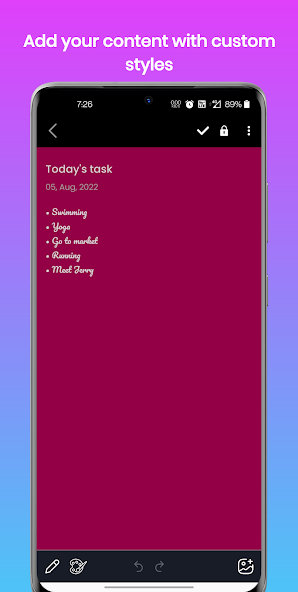
Style notes your way with custom formatting -
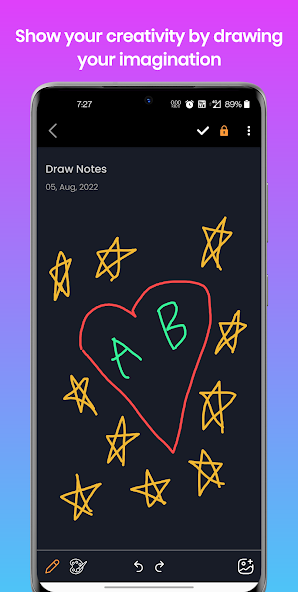
Sketch ideas with the built-in drawing tool -
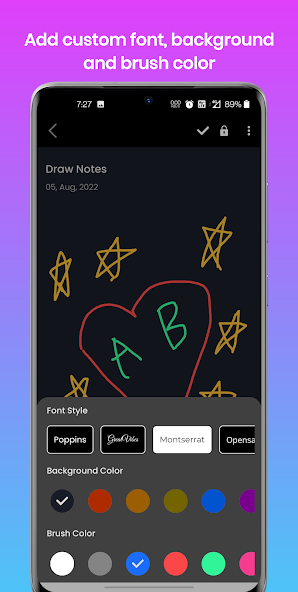
Choose fonts, backgrounds & brush colors
Start taking notes in seconds
-
Install free
Download Color Notes from Google Play. No account or sign-up needed to get started.
-
Capture & organize
Add text, voice, photos, drawings and checklists. Sort them with colors, notebooks and tags.
-
Back up to Google Drive
Turn on Google Drive backup to keep notes safe and synced across all your devices.
Made for students, professionals & creators
From simple shopping lists to detailed meeting notes, Color Notes handles it all — offline, securely, and without clutter.
Frequently asked questions
Is Color Notes free?
Does Color Notes work offline?
How does backup and sync work?
Can I lock my private notes?
Can I add voice notes, photos, or drawings?
Can I make to-do lists and checklists?
Is my data safe and private?
Which devices are supported and how do I get help?
Get Color Notes today
Your colorful, dependable notepad for everyday notes, lists and ideas — safely backed up to Google Drive.
Free · Rated Everyone · Works offline